
B2B platform
Transmatika
How carriers manage fuel cards
Fleet software for managing fuel cards, invoices and routes.
Explore the solution01 / Challenge
What needs checking before a truck leaves?
Before dispatch, a fleet manager needs to know which payment is overdue, which invoice it belongs to and whether the truck is ready to leave. The account balance alone cannot answer those questions.
Studio role
We designed the fleet workspace and built its frontend and backend. The overview puts payment deadlines beside the balance; dedicated views let managers inspect a card or plan a fuel stop.
Project scope
- Fuel cards
- Invoices and payments
- Expense reporting
- Fuel-stop planning
02 / Decisions
Overdue payments first, supporting records below
An overview needs to flag upcoming and overdue payments without becoming another ledger. Keeping invoices and payments in the same workspace lets a manager trace a total back to its records.
Website and platform
From choosing a service to running daily operations
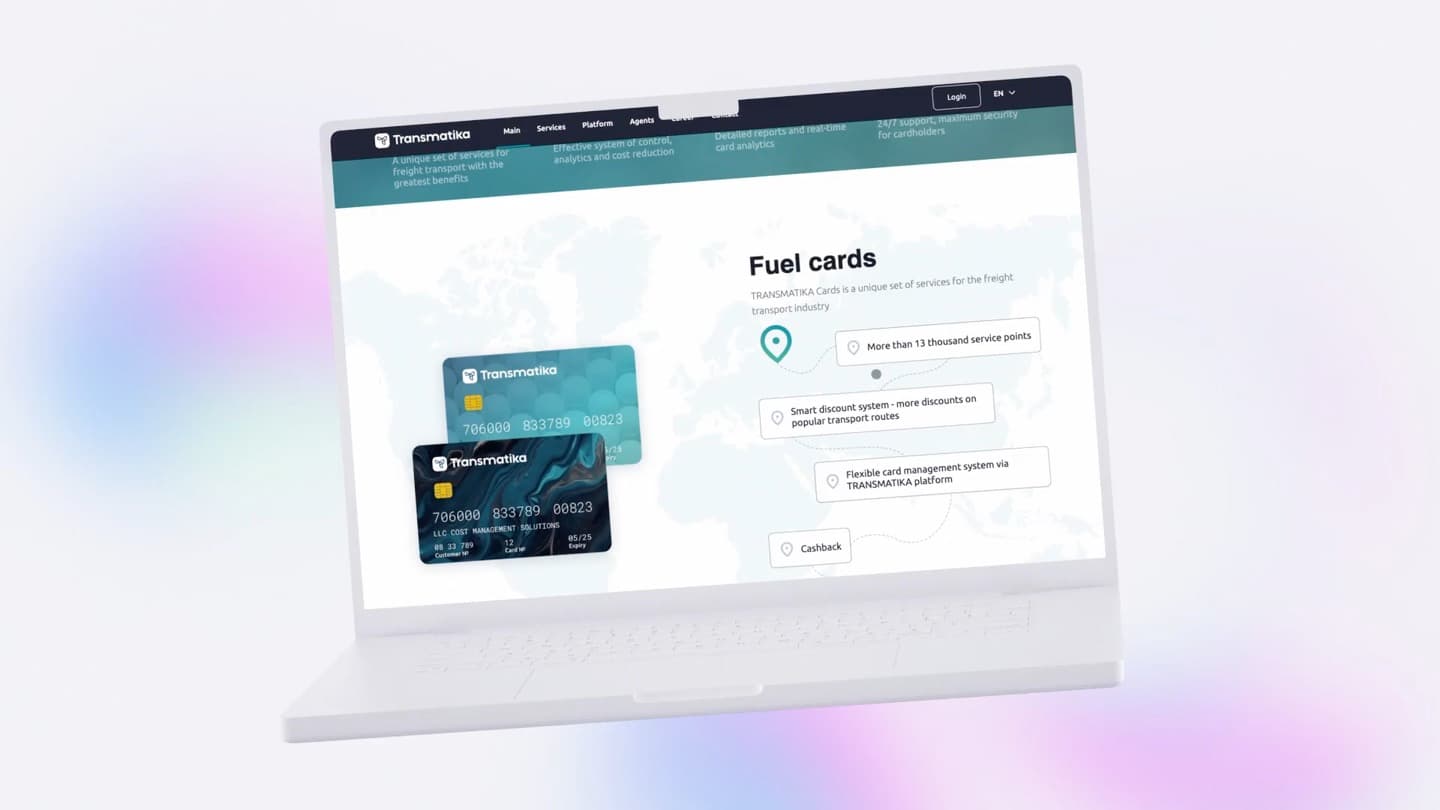
Transmatika has two entry points. The public site lets carriers choose a service and request fuel cards. After signing in, the job changes: reconcile costs, find a card and plan a fuel stop.
Public Transmatika website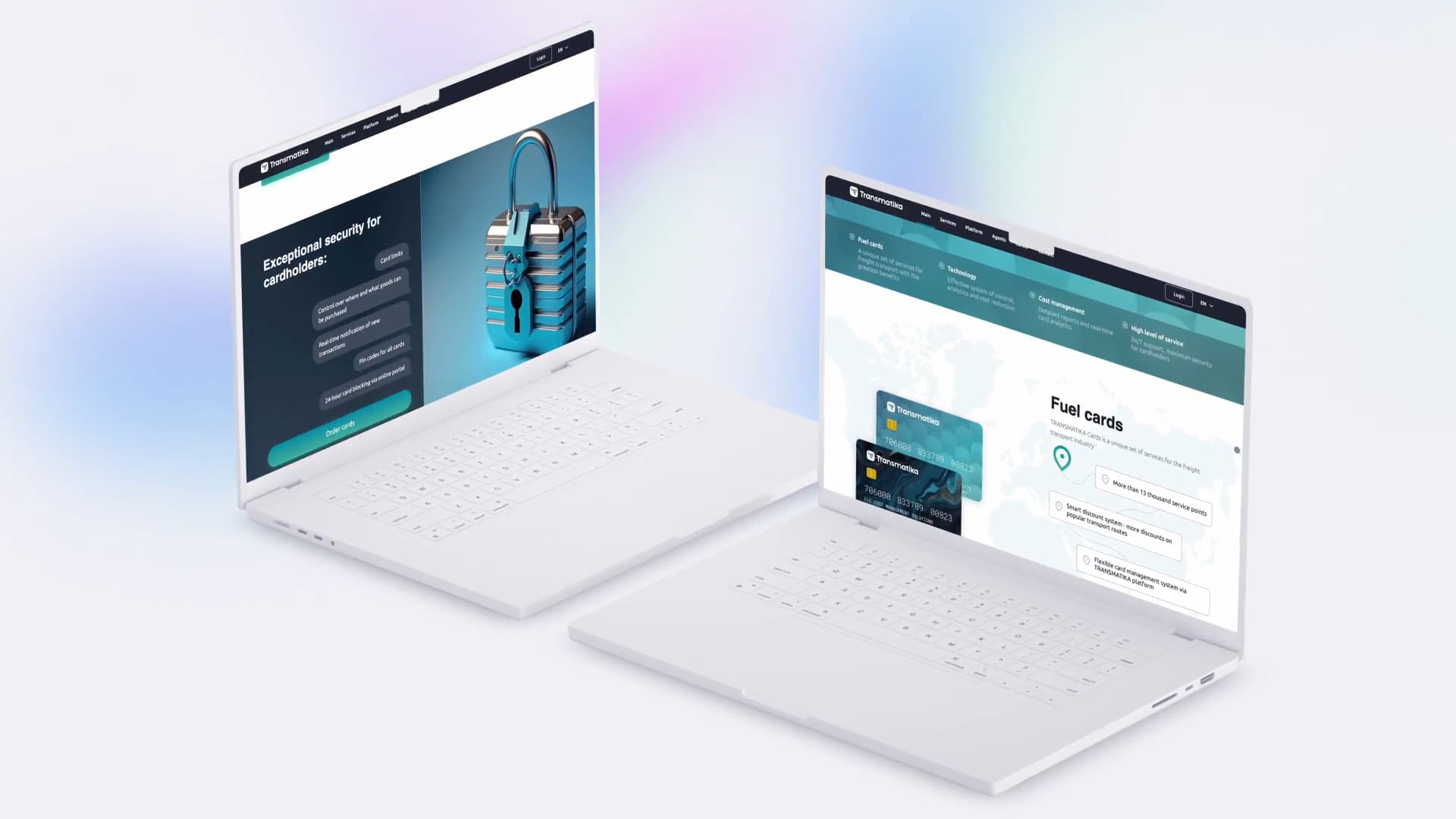
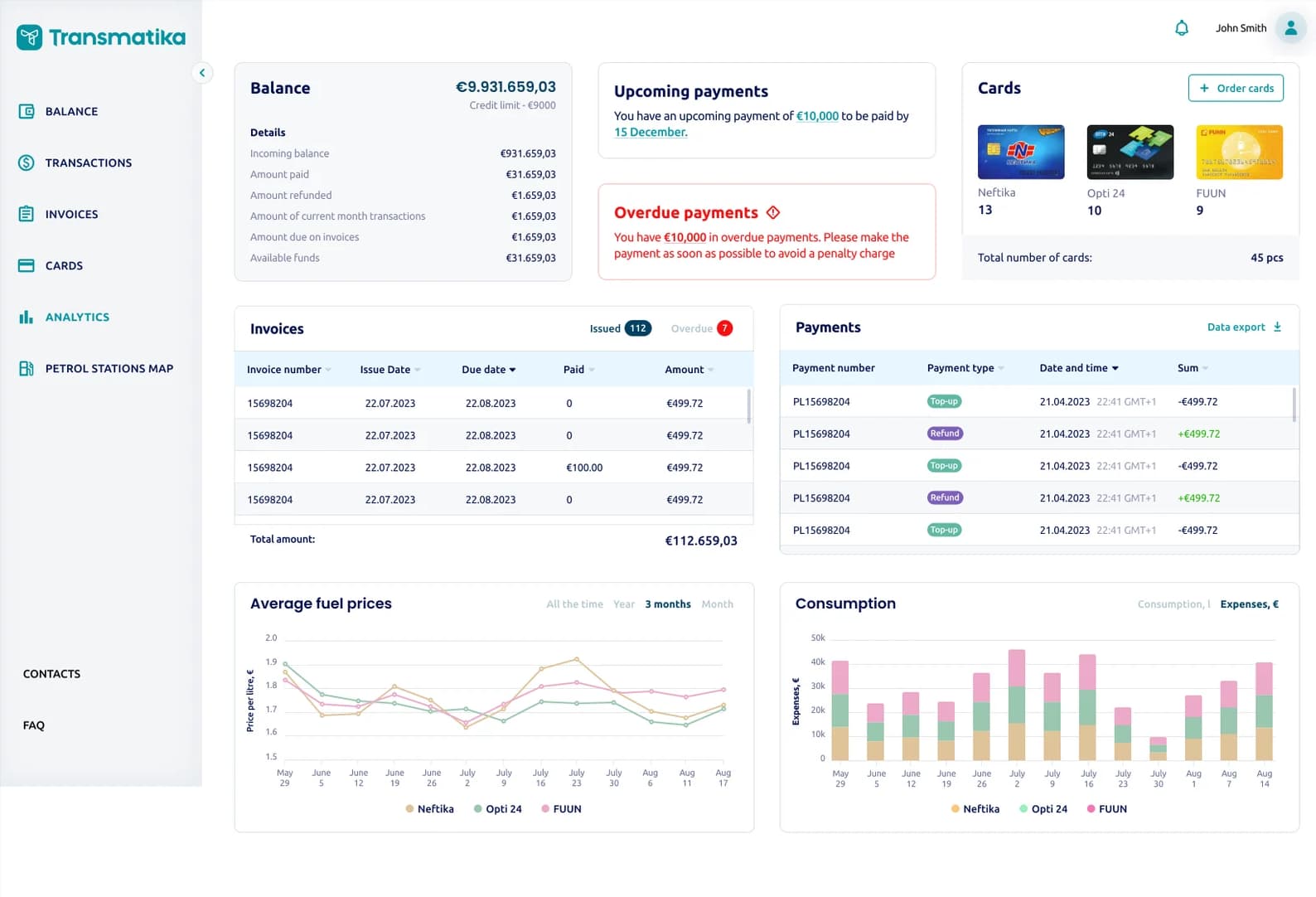
What is due next?
On the balance screen, upcoming payments are separated from overdue items. Managers can trace totals back to invoices and transactions without losing the context.
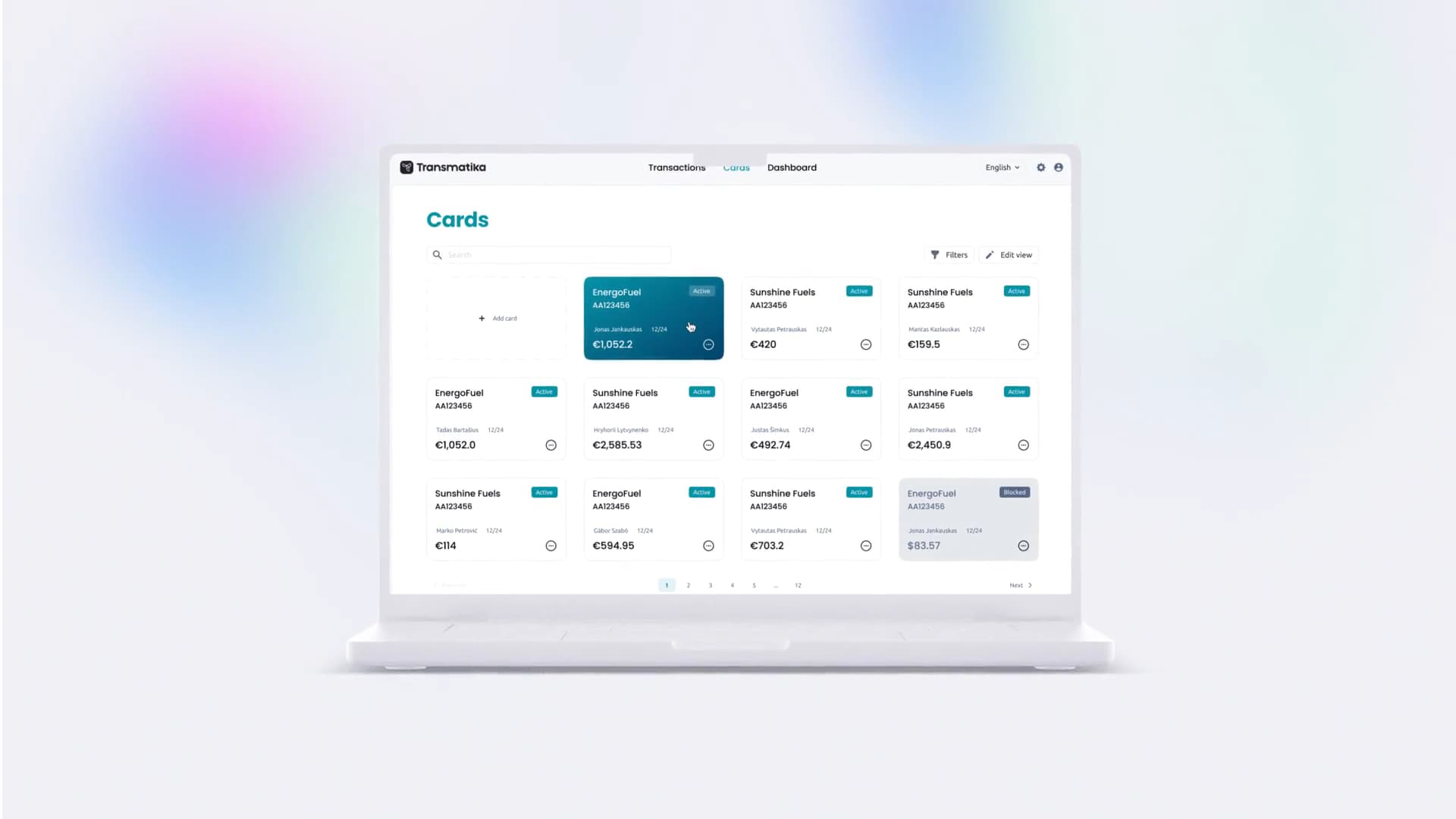
What is happening with a specific card?
The list supports a whole fleet, not just one card. Search and filters narrow the results, while owner, status and balance stay together.
Where can the driver refuel en route?
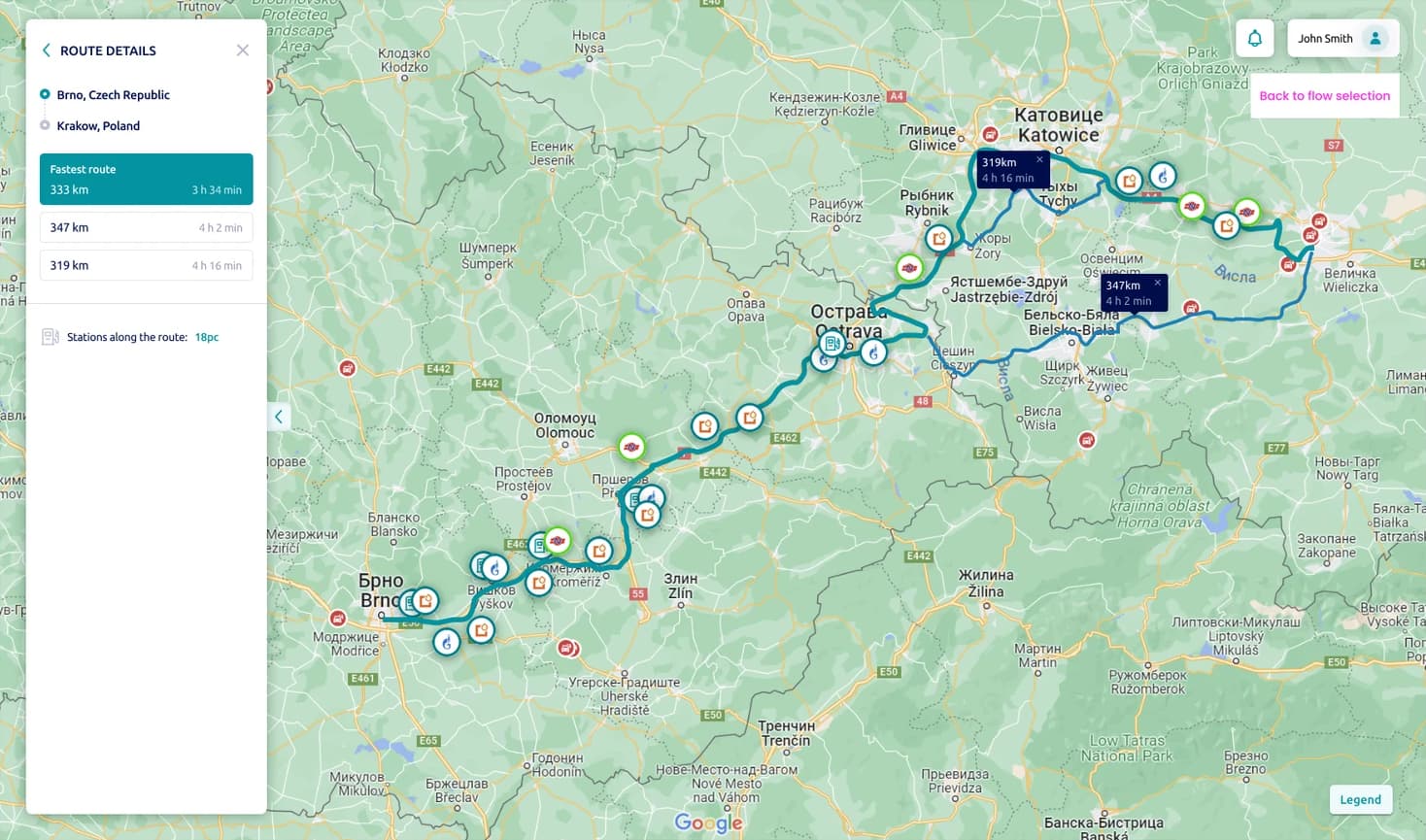
The map answers a different question from the expense table. It shows stops along the route before departure; the public platform also describes routing by station network and fuel prices.
From account balance to a fuel stop
Check the balance
Start with upcoming and overdue payments, then trace the totals back to invoices and payments.
Why we designed it this way
Start with exceptions
Upcoming and overdue payments are visible next to the balance. Invoice and payment tables below let managers investigate a figure without treating every item as equally urgent.
Connect oversight to daily operations
The dashboard provides the overview; card views handle individual operations, and the route tools support the next refuelling decision.
Workflow study
Before the truck sets off
A total alone does not tell a manager what to do. An upcoming payment calls for planning; an overdue one needs attention now.
03 / Outcome
One workspace for fleet operations
Fleet managers can identify overdue payments, check them against invoices, verify a card's status and look for fuel stops before departure.
The product today
An overview of the current public product. The studio's contribution is described separately in this case.
Transmatika connects transport services with digital cost management. Fuel cards, toll roads and tax refunds define the business context; the platform supports the daily work of owners, managers and agents.
- Fuel card controls
- Limits, purchase restrictions, PIN codes and online blocking support control over card usage.
- Transactions and alerts
- Card transactions, automated invoicing and key-event alerts belong to the same operational environment.
- Management analytics
- Customisable reporting and analytics with recommendations serve owners and management.
- Routes and costs
- Route calculations through fuel-station networks account for fuel prices when planning transport costs.
- Agent workspace
- A dedicated dashboard for contracts, commercial terms, settlements and agent remuneration.
Traders can see which bots are running or need attention alongside the chart.